¶ Change Language
¶ How to change the language on DS Sign&Go
- Open DS Sign&Go by acessing https://signandgo.digitalsign.pt or by your local instance of DS Sign&Go.
- On the main window, at the bottom right corner, click on the flag button:

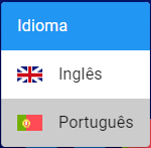
- Select the desired language. The application will change it's language according to the selected one: